11. CDN 추가, '게시글 등록' 기능 추가
src/main/resources/templates/layout - footer.mustache
src/main/resources/templates/layout - header.mustache 생성
footer.mustache - jquery cdn 과 bootstrap js cdn을 화면 가장 최하단 body 끝나기 전에 추가
<script src="https://code.jquery.com/jquery-3.3.1.min.js"></script>
<script src="https://stackpath.bootstrapcdn.com/bootstrap/4.3.1/js/bootstrap.min.js"></script>

</body>
</html>
header.mustache - bootstrap css cdn을 화면 가장 최상단 head에 추가
<!DOCTYPE HTML>
<html>
<head>
    <title>Springboot Web Service</title>
    <meta http-equiv="Content-Type" content="text/html; charset=UTF-8" />

    <link rel="stylesheet" href="https://stackpath.bootstrapcdn.com/bootstrap/4.3.1/css/bootstrap.min.css">
</head>
<body>
src/main/resources/templates - index.mustache 에 header, footer 추가, 버튼 추가
{{>layout/header}}
    <h1>Starting With Spring Boot Web Service</h1>
    <div class="col-md-12">
        <div class="row">
            <div class="col-md-6">
                <a href="/posts/save" role="button" class="btn btn-primary">글 등록</a>
            </div>
        </div>
    </div>
{{>layout/footer}}
a 태그의 href에 해당하는 주소를 IndexController.java에 추가
package com.jojoldu.springboot.web;

import lombok.RequiredArgsConstructor;
import org.springframework.stereotype.Controller;
import org.springframework.web.bind.annotation.GetMapping;

@RequiredArgsConstructor
@Controller
public class IndexController {

    @GetMapping("/")
    public String index() {
        return "index"; // = [suffix] .mustache
    }

    @GetMapping("/posts/save")
    public String postsSave() {
        return "post-save"; // = [suffix] .mustache
    }
}
post-save.mustache 로 돌려주니까 파일 만들기.
src/main/resources/templates - post-save.mustache 생성
{{>layout/header}}

<h1>게시글 등록</h1>

<div class="col-md-12">
    <div class="col-md-4">
        <form>
            <div class="form-group">
                <label for="title">제목</label>
                <input type="text" class="form-control" id="title" placeholder="제목을 입력하세요">
            </div>
            <div class="form-group">
                <label for="author"> 작성자 </label>
                <input type="text" class="form-control" id="author" placeholder="작성자를 입력하세요">
            </div>
            <div class="form-group">
                <label for="content"> 내용 </label>
                <textarea class="form-control" id="content" placeholder="내용을 입력하세요"></textarea>
            </div>
        </form>
        <a href="/" role="button" class="btn btn-secondary">취소</a>
        <button type="button" class="btn btn-primary" id="btn-save">등록</button>
    </div>
</div>

{{>layout/footer}}
Application 파일 열기. '현재 파일' 에서 ▷ Run 시작.
크롬 브라우저 주소창 localhost:8080 요청
* mustache 한글이 깨진다..
application.properties에 '서버 인코딩 설정'을 추가한다.
server.servlet.encoding.force-response=true

'글 등록' 버튼을 누르면
/posts/save 주소를 타고 '게시글 등록' 화면이 이동.
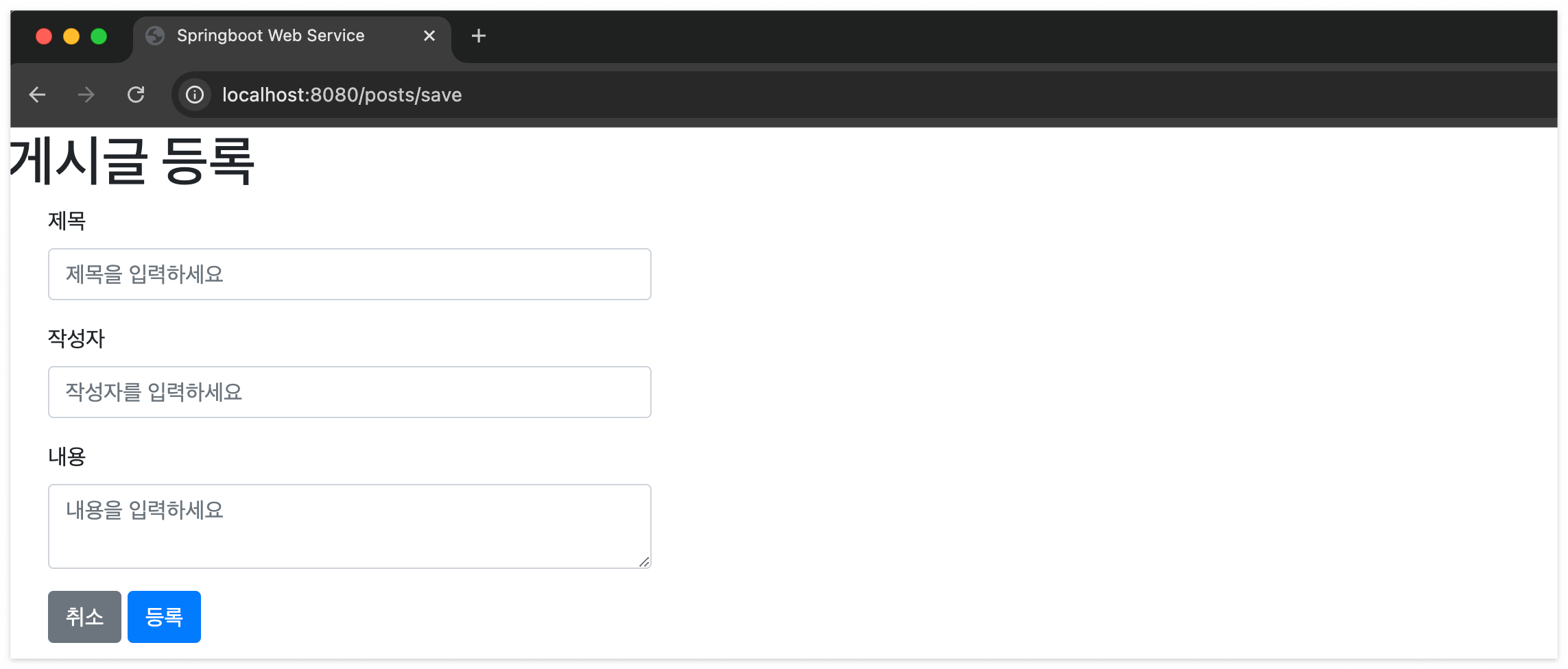
아직 '등록' 버튼이 동작하는 기능은 구현하지 않음. 그걸 js로 구현할 거임.
src/main/resources/static/js/app - index.js 생성 (여기에 '등록' 말고, '수정&삭제'도 추가할거임)
var main = {
    init : function () {
        var _this = this;
        $('#btn-save').on('click', function () {
            _this.save();
        });
    },
    save : function () {
        var data = {
            title: $('#title').val(),
            author: $('#author').val(),
            content: $('#content').val()
        };

        $.ajax({
            type: 'POST',
            url: '/api/v1/posts',
            dataType: 'json',
            contentType:'application/json; charset=utf-8',
            data: JSON.stringify(data)
        }).done(function() {
            alert('글이 등록되었습니다.');
            window.location.href = '/';
        }).fail(function (error) {
            alert(JSON.stringify(error));
        });
    },
};

main.init();
index.js를 사용하기 위해서, footer.mustache에 추가
<script src="https://code.jquery.com/jquery-3.3.1.min.js"></script>
<script src="https://stackpath.bootstrapcdn.com/bootstrap/4.3.1/js/bootstrap.min.js"></script>

<!--index.js 추가-->
<script src="/js/app/index.js"></script>
</body>
</html>
Application 파일 열기. '현재 파일' 에서 ▷ Run 시작.
크롬 브라우저 주소창 localhost:8080 요청. '게시글 등록'으로 이동.
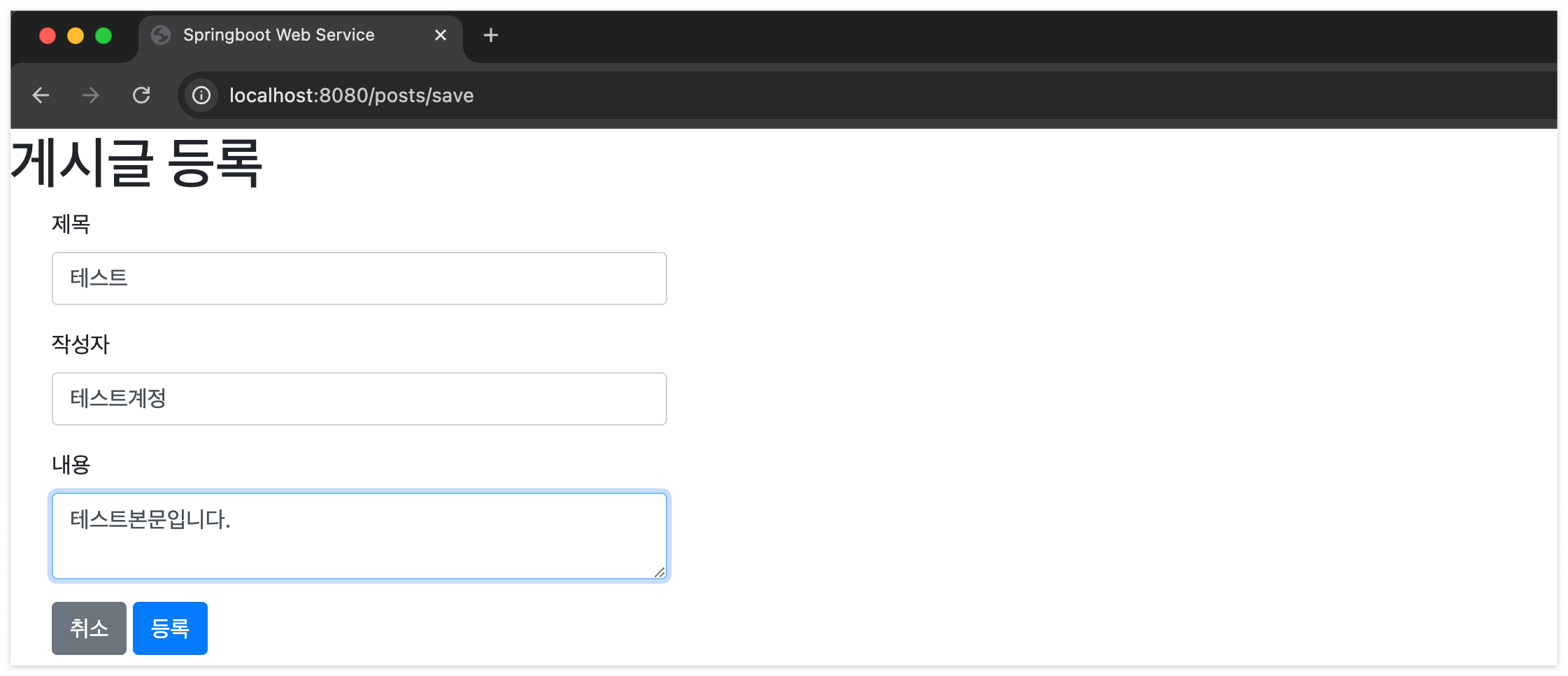
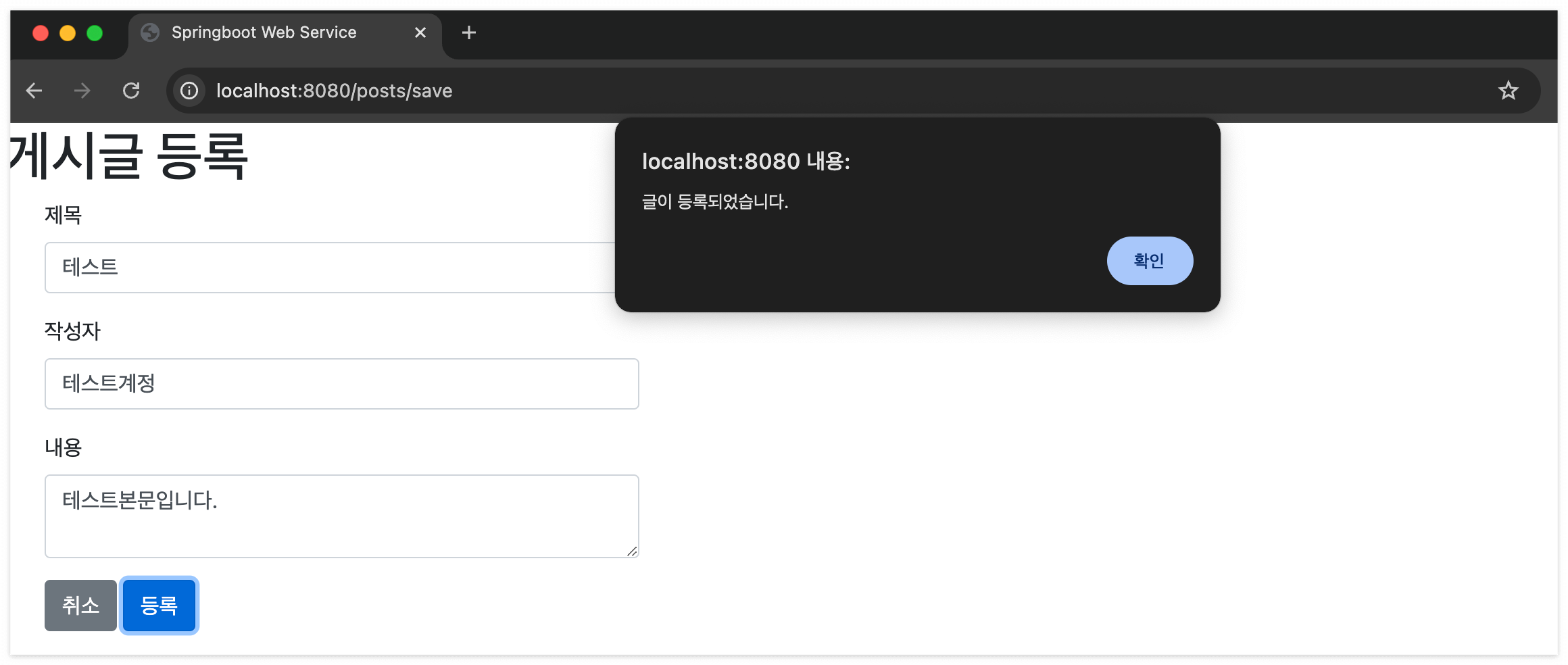
'확인'을 누르면 window.location.href = '/'; 주소로 돌아감.
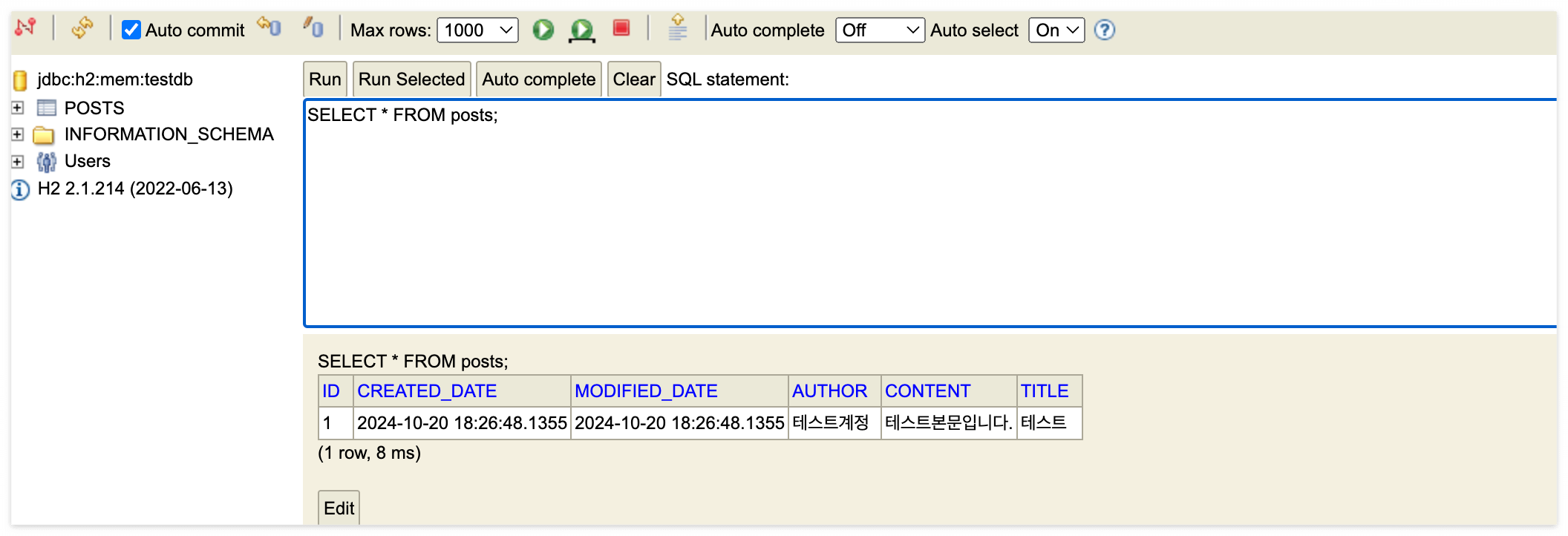
제대로 jpa를 통해서 h2 디비에 INSERT 되었는지 확인하러 감. (프로젝트 서버 끄면 초기화되니까 끄면 안되고 바로!)
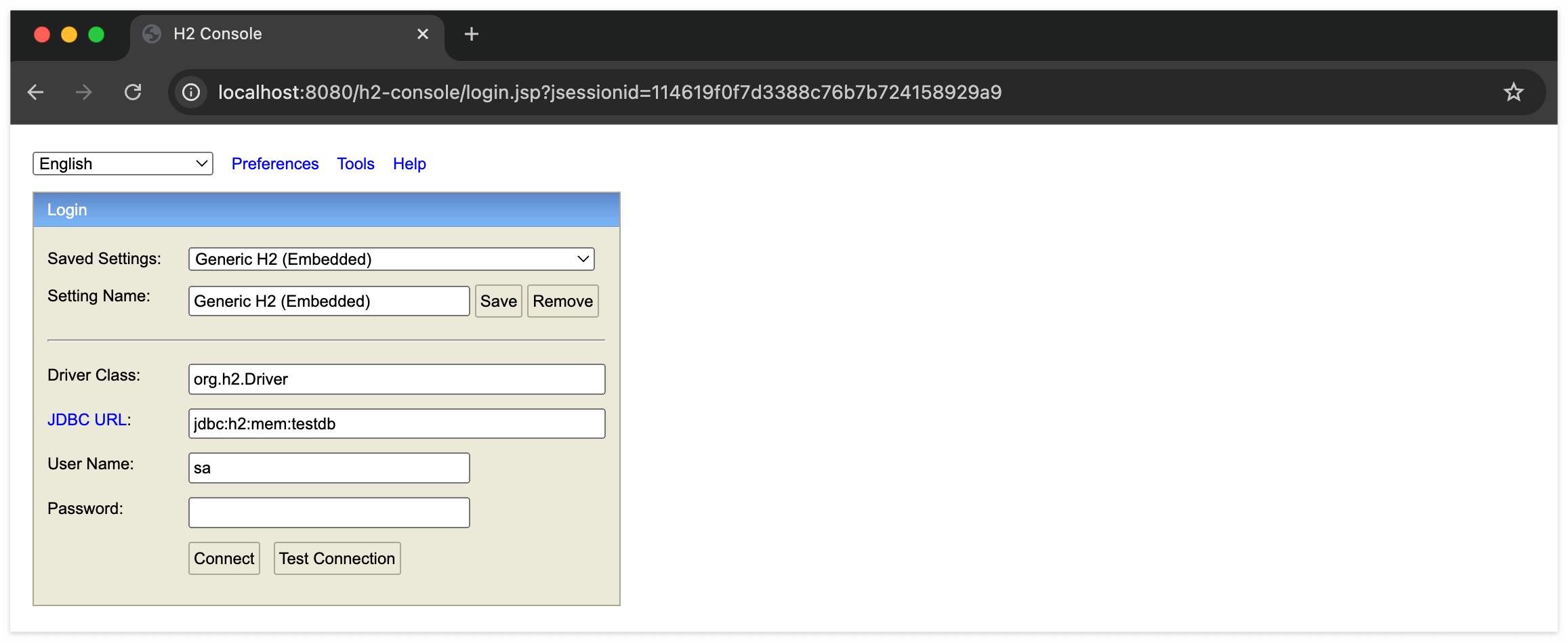
크롬 브라우저 주소창 localhost:8080/h2-console 요청.
jdbc:h2:mem:testdb 로 Connect
SELECT 으로 조회. 제대로 INSERT 된 걸 확인 가능.