스프링부트와 AWS로 혼자 구현하는 웹서비스
10. 템플릿 엔진 mustache 사용
Mary's log
2024. 10. 20. 16:38
mustache 사용하기 위한 dependecies 추가,
mustache 파일을 넣어두면 springboot가 자동으로 인지하는 경로는 src/main/resources/templates.
build.gradle
AS-IS
plugins {
    id ("org.springframework.boot") version ("2.7.1")
    id ("io.spring.dependency-management") version ("1.0.11.RELEASE")
    id("java")
}

group = "com.jojoldu.book"
version = "1.0-SNAPSHOT"

repositories {
    mavenCentral()
}

dependencies {
    implementation("org.springframework.boot:spring-boot-starter-web")
    implementation("junit:junit:4.13.1")
    implementation("org.springframework.boot:spring-boot-starter-data-jpa")
    implementation("com.h2database:h2")

    compileOnly("org.projectlombok:lombok")
    testImplementation("org.springframework.boot:spring-boot-starter-test")
    testImplementation(platform("org.junit:junit-bom:5.10.0"))
    testImplementation("org.junit.jupiter:junit-jupiter")
}

tasks.test {
    useJUnitPlatform()
}
TO-BE
plugins {
    id ("org.springframework.boot") version ("2.7.1")
    id ("io.spring.dependency-management") version ("1.0.11.RELEASE")
    id("java")
}

group = "com.jojoldu.book"
version = "1.0-SNAPSHOT"

repositories {
    mavenCentral()
}

dependencies {
    implementation("org.springframework.boot:spring-boot-starter-web")
    implementation("junit:junit:4.13.1")
    implementation("org.springframework.boot:spring-boot-starter-data-jpa")
    implementation("com.h2database:h2")
    implementation("org.springframework.boot:spring-boot-starter-mustache")
    compileOnly("org.projectlombok:lombok")
    testImplementation("org.springframework.boot:spring-boot-starter-test")
    testImplementation(platform("org.junit:junit-bom:5.10.0"))
    testImplementation("org.junit.jupiter:junit-jupiter")
}

tasks.test {
    useJUnitPlatform()
}
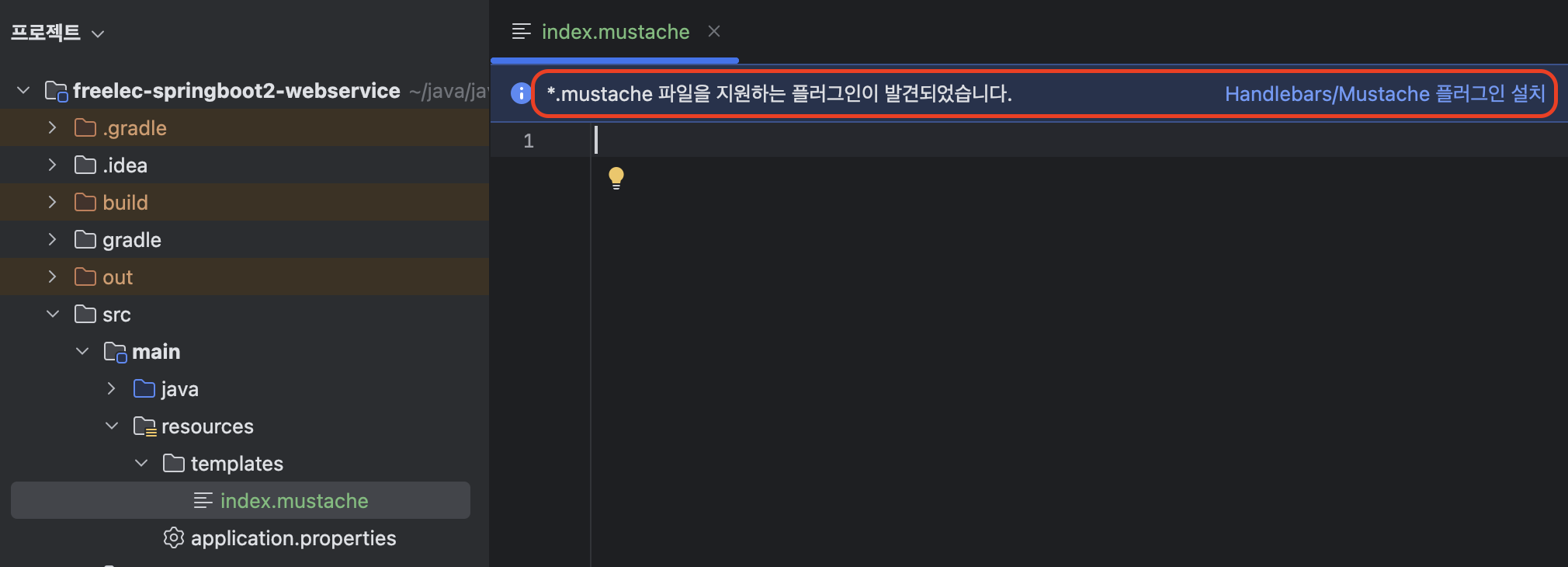
src/main/resources/templates - index.mustache 생성
파일을 만들었더니 플러그인을 설치하라는 추천이 떴다. 이런 건 뜨면, 오히려 이득이니, 바로 설치한다.

index.mustache source
<!DOCTYPE HTML>
<html>
<head>
    <title>Spring Boot Web Site</title>
    <meta http-equiv="Content-Type" content="text/html; charset=UTF-8"/>
</head>
<body>
    <h1>Starting With Spring Boot Web Service</h1>
</body>
</html>
src/main/java/com/jojoldu/springboot/web - IndexController.java 생성
package com.jojoldu.springboot.web;

import org.springframework.stereotype.Controller;
import org.springframework.web.bind.annotation.GetMapping;

@Controller
public class IndexController {

    @GetMapping("/")
    public String index() {
        return "index"; // = [suffix] .mustache
    }
}
main에서 실제 동작할 소스는 작성했으니, 그게 제대로 동작할 지 test 소스 만들러감.
src/test/java/com/jojoldu/springboot/web - IndexControllerTest.java 생성.
package com.jojoldu.springboot.web;

import org.junit.Test;
import org.junit.runner.RunWith;
import org.springframework.beans.factory.annotation.Autowired;
import org.springframework.boot.test.context.SpringBootTest;
import org.springframework.boot.test.web.client.TestRestTemplate;
import org.springframework.test.context.junit4.SpringRunner;

import static org.assertj.core.api.Assertions.assertThat;
import static org.springframework.boot.test.context.SpringBootTest.WebEnvironment.RANDOM_PORT;

@RunWith(SpringRunner.class)
@SpringBootTest(webEnvironment = RANDOM_PORT)
public class IndexControllerTest {

    @Autowired
    private TestRestTemplate restTemplate;

    @Test
    public void mainPageLoading() {
        String body = this.restTemplate.getForObject("/", String.class);
        assertThat(body).contains("Starting With Spring Boot Web Service");
        // 				index.mustache의 <body> 내용과 같아야함.
    }
}
@Test 어노테이션이 달린 mainPageLoading 함수 좌측 ▷ 실행. > 정상 동작 확인 완료.
실제로도 정상 동작하는지 확인.
Application 파일 열기. '현재 파일' 에서 ▷ Run 시작.
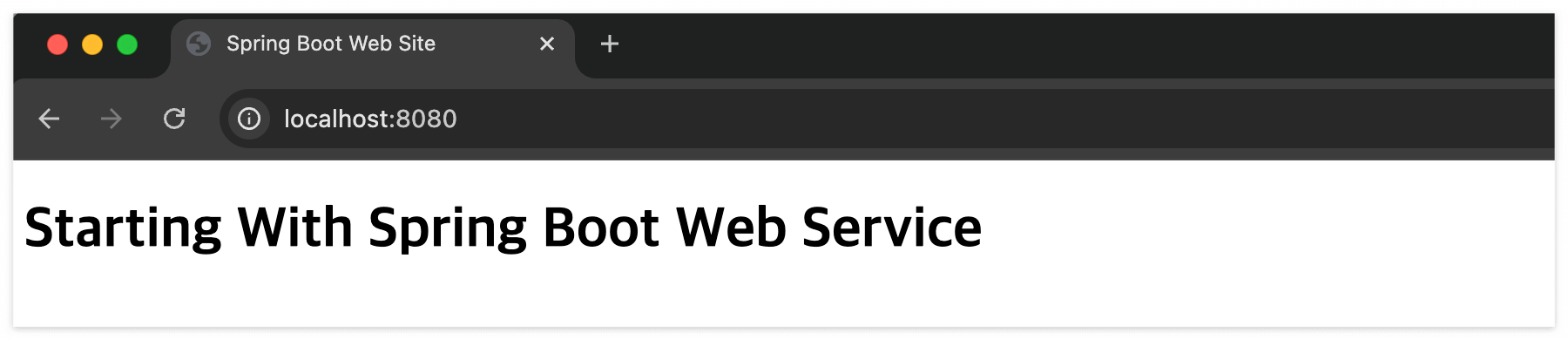
크롬 브라우저 주소창 localhost:8080 요청 ( IndexController.java의 @Getmapping 주소가 "/" 였으니까 뒤에 안 붙임. )